> ## Documentation Index
> Fetch the complete documentation index at: https://docs.presenton.ai/llms.txt
> Use this file to discover all available pages before exploring further.
# Generation lifecycle
> Understand the stages, checkpoints, and failure boundaries of AI presentation generation.
Generation is a sequence of work, not a single AI response. Knowing the stages helps you decide whether to revise the input, wait for a task, or troubleshoot a dependency.
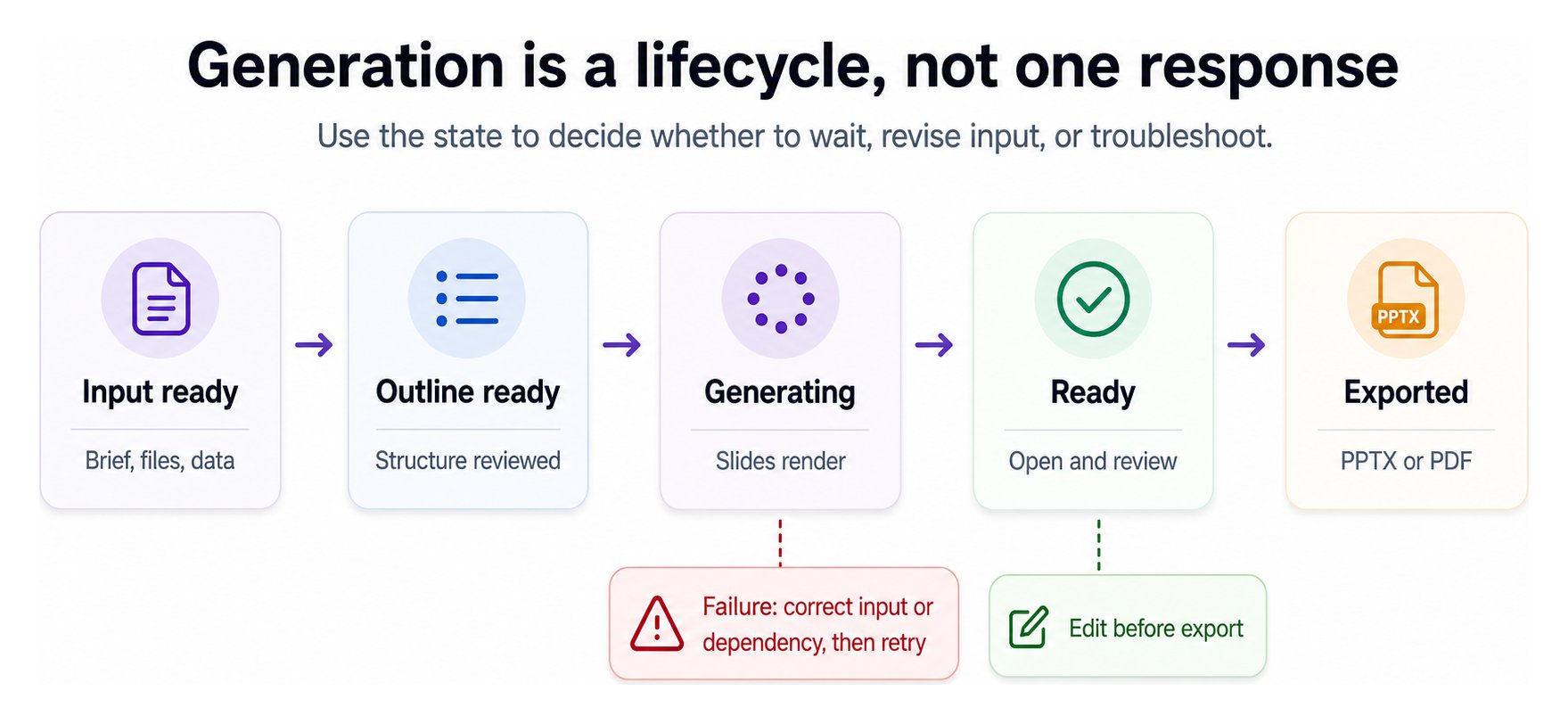 ## Lifecycle stages
| Stage | What happens | What to check |
| ------------- | -------------------------------------------------------- | ---------------------------------------------------------------- |
| Input ready | The brief, source files, and controls are collected | Scope, file relevance, and must-keep facts |
| Outline ready | Presenton proposes the deck structure | Flow, coverage, repetition, and slide count |
| Generating | Content, layouts, and visuals are assembled and rendered | Wait for completion; avoid duplicate submissions |
| Ready | The presentation can be opened and reviewed | Accuracy, design fit, and missing content |
| Editing | You refine the generated result | Preserve verified facts while changing wording or layout |
| Exported | A PPTX or PDF is produced | Open the file and inspect fonts, charts, images, and page bounds |
## Synchronous and asynchronous API work
The request stays open while generation runs and returns after the operation completes or fails. Use it when the caller can safely wait for the full result.
The request creates background work and returns a task identifier. Poll the deployment-specific status endpoint, or use a supported webhook workflow, until the task reaches a terminal state.
Do not retry an asynchronous request only because generation is taking longer than expected. Check its task status first to avoid creating duplicate presentations.
## Where failures usually belong
* **Before outline creation:** inspect the input, upload, document processing, and provider configuration.
* **During generation:** inspect text, image, template, and rendering dependencies.
* **During export:** inspect fonts, assets, browser/export runtime, and storage.
Implement the lifecycle with the correct API surface.
Diagnose a failed or incomplete generation.
## Lifecycle stages
| Stage | What happens | What to check |
| ------------- | -------------------------------------------------------- | ---------------------------------------------------------------- |
| Input ready | The brief, source files, and controls are collected | Scope, file relevance, and must-keep facts |
| Outline ready | Presenton proposes the deck structure | Flow, coverage, repetition, and slide count |
| Generating | Content, layouts, and visuals are assembled and rendered | Wait for completion; avoid duplicate submissions |
| Ready | The presentation can be opened and reviewed | Accuracy, design fit, and missing content |
| Editing | You refine the generated result | Preserve verified facts while changing wording or layout |
| Exported | A PPTX or PDF is produced | Open the file and inspect fonts, charts, images, and page bounds |
## Synchronous and asynchronous API work
The request stays open while generation runs and returns after the operation completes or fails. Use it when the caller can safely wait for the full result.
The request creates background work and returns a task identifier. Poll the deployment-specific status endpoint, or use a supported webhook workflow, until the task reaches a terminal state.
Do not retry an asynchronous request only because generation is taking longer than expected. Check its task status first to avoid creating duplicate presentations.
## Where failures usually belong
* **Before outline creation:** inspect the input, upload, document processing, and provider configuration.
* **During generation:** inspect text, image, template, and rendering dependencies.
* **During export:** inspect fonts, assets, browser/export runtime, and storage.
Implement the lifecycle with the correct API surface.
Diagnose a failed or incomplete generation.