> ## Documentation Index
> Fetch the complete documentation index at: https://docs.presenton.ai/llms.txt
> Use this file to discover all available pages before exploring further.
# Generation controls
> Control presentation length, language, tone, content density, structure, research, and special instructions.
Generation controls help Presenton shape the first draft around your audience and use case. Set only the controls that matter; leaving a value on **Auto** lets Presenton choose it from your prompt and source material.
## Slide count
Choose **Auto slides** when the right length depends on the topic, or select a specific number when you have a fixed meeting format or delivery time.
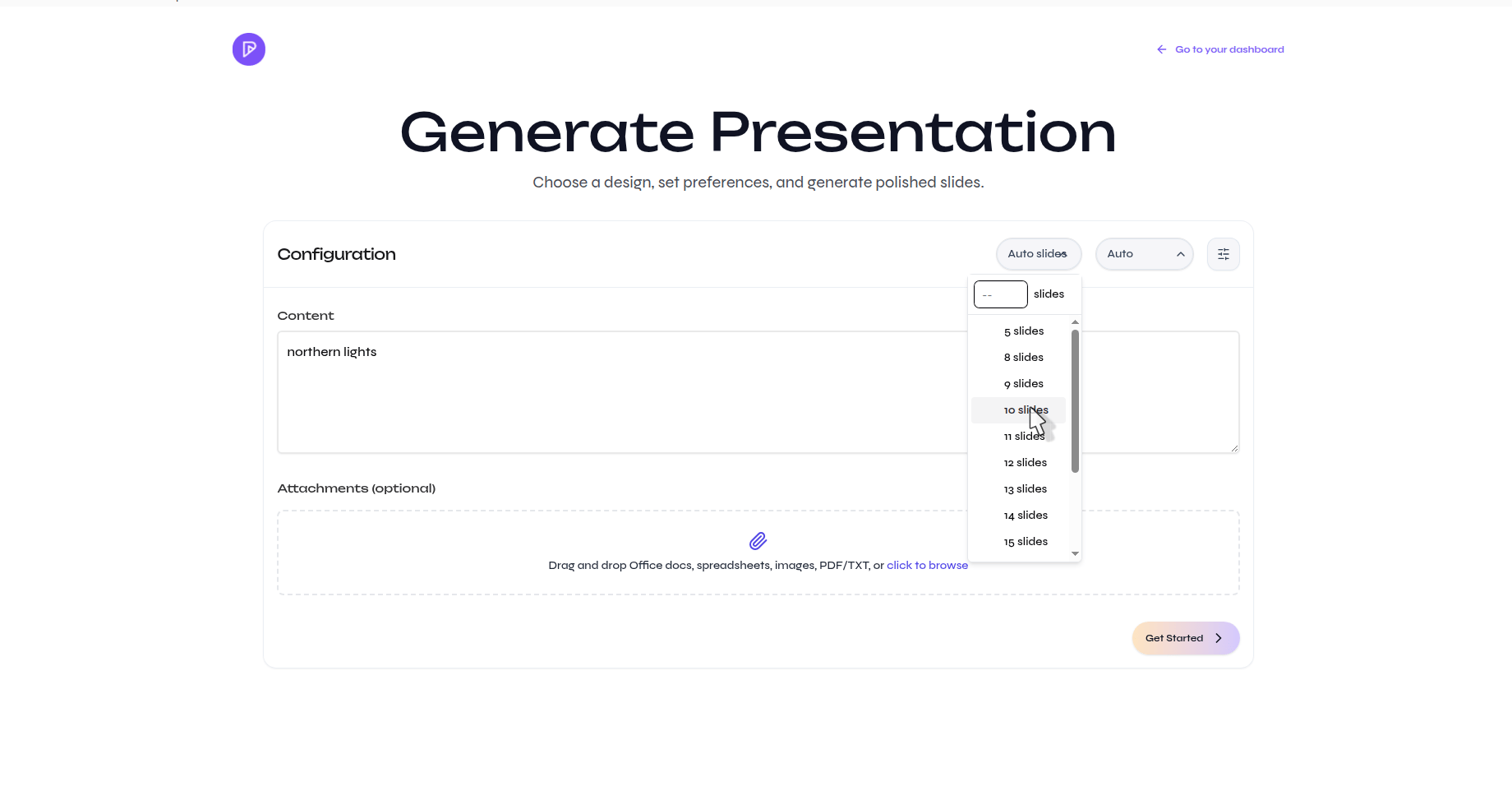 Match the slide count to the amount of useful source material. Asking for too many slides can create repetition, while too few can hide important distinctions.
## Output language
Leave the language on **Auto** to follow the prompt or source, or choose the language explicitly when the input and presentation should use different languages.
Match the slide count to the amount of useful source material. Asking for too many slides can create repetition, while too few can hide important distinctions.
## Output language
Leave the language on **Auto** to follow the prompt or source, or choose the language explicitly when the input and presentation should use different languages.
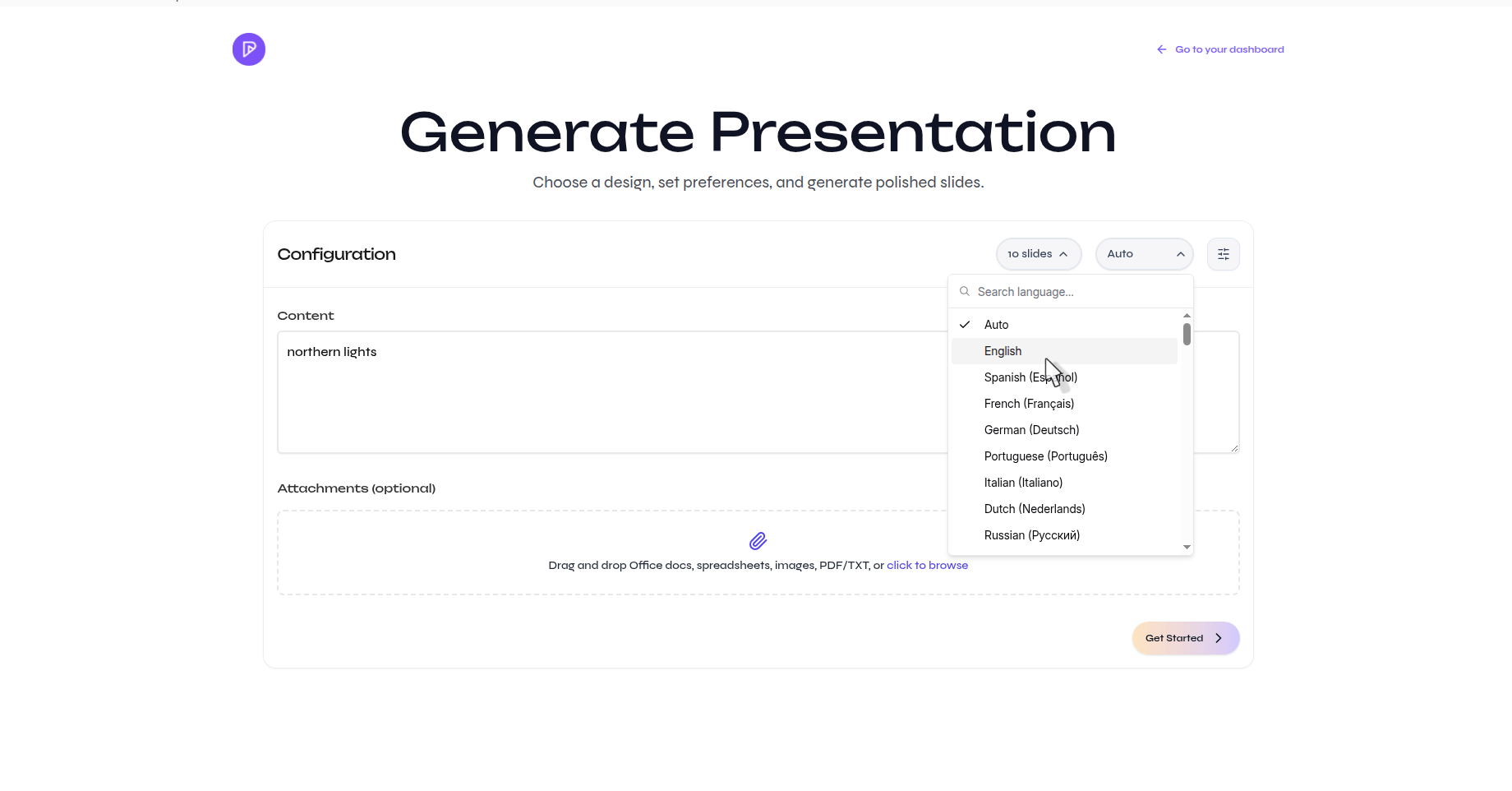 Review names, specialized terminology, and translated figures carefully when generating in a language different from the source.
## Advanced settings
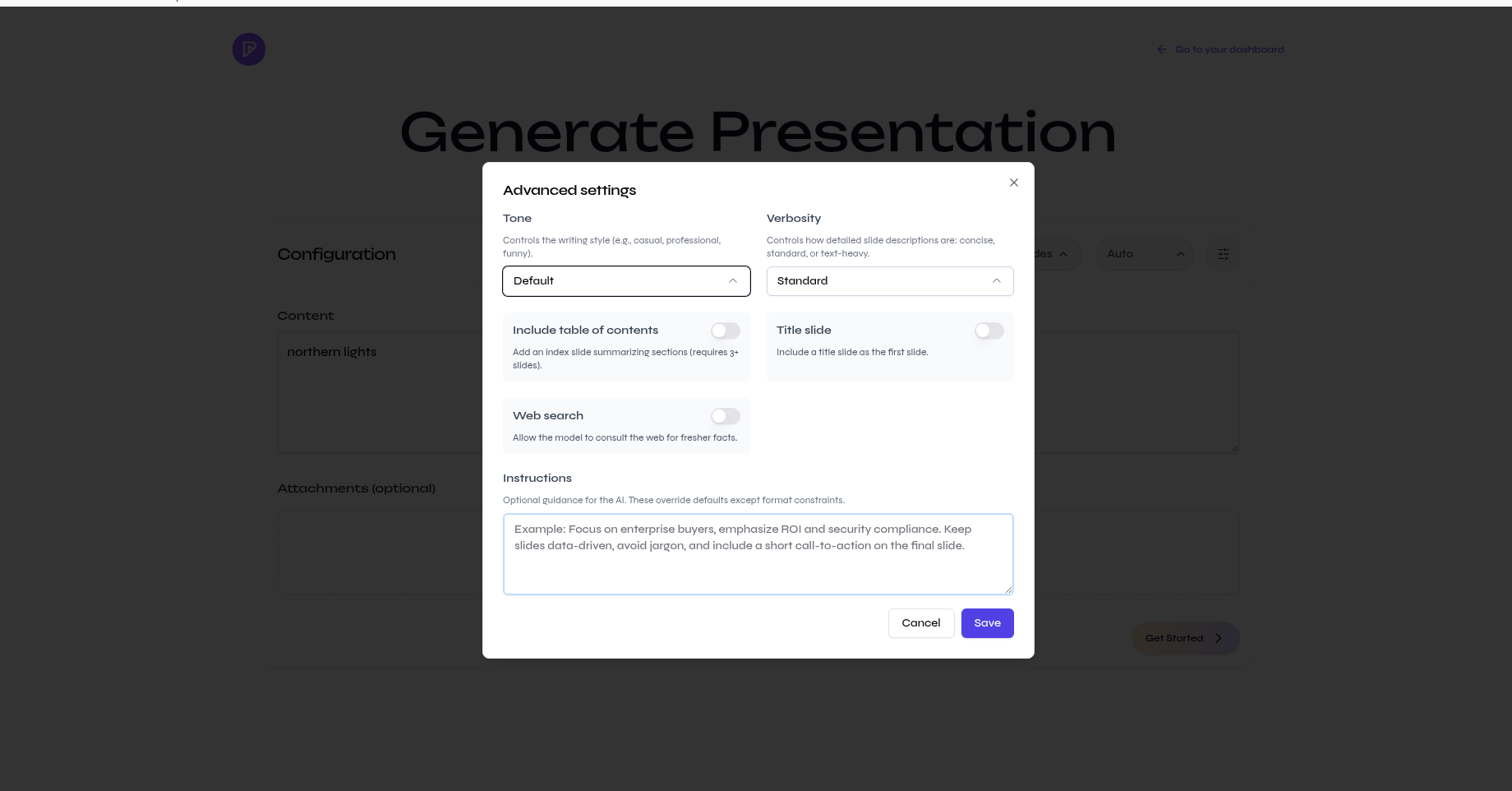
Open the settings button beside the language control to configure the first draft in more detail.
| Control | What it changes | When to set it |
| ----------------- | ---------------------------------------------------------------------- | ---------------------------------------------------------------------------------------- |
| Tone | The writing style, such as casual, professional, funny, or educational | The presentation must match a particular audience or setting |
| Verbosity | How concise or text-heavy the slide content should be | You know whether the deck is for live delivery or standalone reading |
| Table of contents | Adds an overview of the presentation sections | The deck is long enough to benefit from navigation |
| Title slide | Adds a dedicated opening slide | The presentation needs a formal introduction |
| Web search | Allows Presenton to research fresh supporting information | The topic depends on recent facts or external context |
| Instructions | Adds requirements that override normal generation choices | You must preserve facts, emphasize a section, avoid a topic, or include a call to action |
Review names, specialized terminology, and translated figures carefully when generating in a language different from the source.
## Advanced settings
Open the settings button beside the language control to configure the first draft in more detail.
| Control | What it changes | When to set it |
| ----------------- | ---------------------------------------------------------------------- | ---------------------------------------------------------------------------------------- |
| Tone | The writing style, such as casual, professional, funny, or educational | The presentation must match a particular audience or setting |
| Verbosity | How concise or text-heavy the slide content should be | You know whether the deck is for live delivery or standalone reading |
| Table of contents | Adds an overview of the presentation sections | The deck is long enough to benefit from navigation |
| Title slide | Adds a dedicated opening slide | The presentation needs a formal introduction |
| Web search | Allows Presenton to research fresh supporting information | The topic depends on recent facts or external context |
| Instructions | Adds requirements that override normal generation choices | You must preserve facts, emphasize a section, avoid a topic, or include a call to action |
 ## Write effective instructions
Use the instruction field for constraints, not for repeating the topic. A useful instruction identifies the audience, priority, and anything that must remain unchanged.
> Focus on enterprise buyers. Emphasize ROI and security compliance. Keep all reported figures unchanged, avoid jargon, and end with a short call to action.
Generation settings guide the first draft. Always review the outline and verify important facts before creating or exporting the final presentation.
See how these controls fit into the complete prompt-to-export workflow.
## Write effective instructions
Use the instruction field for constraints, not for repeating the topic. A useful instruction identifies the audience, priority, and anything that must remain unchanged.
> Focus on enterprise buyers. Emphasize ROI and security compliance. Keep all reported figures unchanged, avoid jargon, and end with a short call to action.
Generation settings guide the first draft. Always review the outline and verify important facts before creating or exporting the final presentation.
See how these controls fit into the complete prompt-to-export workflow.