> ## Documentation Index
> Fetch the complete documentation index at: https://docs.presenton.ai/llms.txt
> Use this file to discover all available pages before exploring further.
# AI assistant
> Edit outlines and slides with natural-language requests.
The AI assistant can inspect the current presentation and make focused changes through the same editable slide model you use in the canvas.
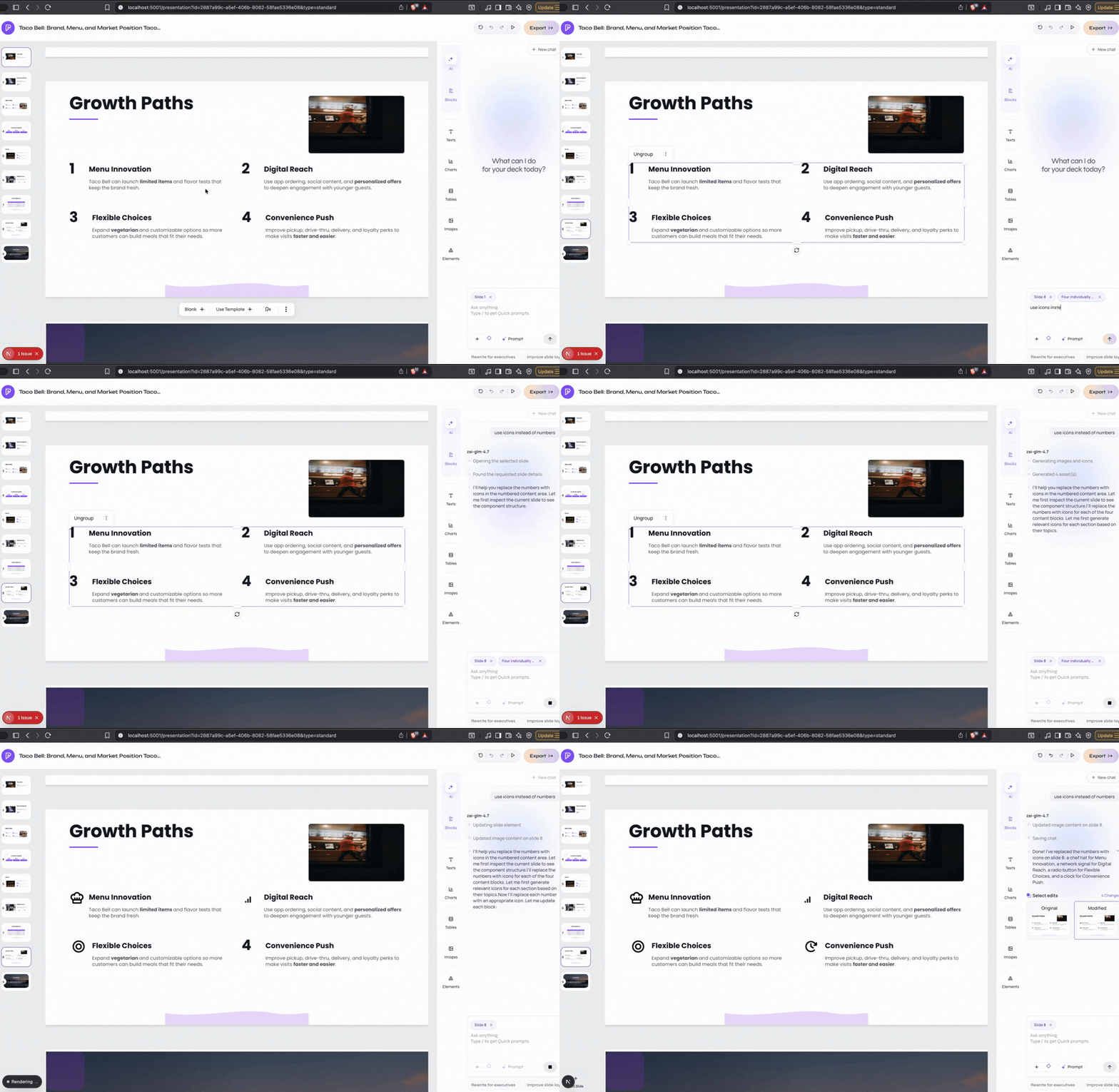 ## What it can help with
| Goal | Example request |
| -------------------- | ----------------------------------------------------- |
| Rewrite content | “Make slide 2 shorter and more persuasive.” |
| Add or remove slides | “Add a customer proof slide after the solution.” |
| Use a better layout | “Turn this into a clean two-column comparison.” |
| Edit objects | “Move the chart left and make the title larger.” |
| Add visuals | “Add an illustration for the onboarding workflow.” |
| Use source files | “Create a table from the totals in the uploaded CSV.” |
| Change the theme | “Apply a clean dark theme to the deck.” |
## A simple workflow
Name the slide and say what should change. Include any text, values, or design choices that must be preserved.
The assistant reads the relevant slide, template, source documents, and conversation context.
Check the slide visually and verify important facts. Continue with a smaller follow-up if needed.
Reusable template blocks help assistant-created content match the rest of the presentation. Ask for a “template-style” card, table, chart, or title when consistency matters.
## What it can help with
| Goal | Example request |
| -------------------- | ----------------------------------------------------- |
| Rewrite content | “Make slide 2 shorter and more persuasive.” |
| Add or remove slides | “Add a customer proof slide after the solution.” |
| Use a better layout | “Turn this into a clean two-column comparison.” |
| Edit objects | “Move the chart left and make the title larger.” |
| Add visuals | “Add an illustration for the onboarding workflow.” |
| Use source files | “Create a table from the totals in the uploaded CSV.” |
| Change the theme | “Apply a clean dark theme to the deck.” |
## A simple workflow
Name the slide and say what should change. Include any text, values, or design choices that must be preserved.
The assistant reads the relevant slide, template, source documents, and conversation context.
Check the slide visually and verify important facts. Continue with a smaller follow-up if needed.
Reusable template blocks help assistant-created content match the rest of the presentation. Ask for a “template-style” card, table, chart, or title when consistency matters.